
EV Screen Protectors: How to Choose the Right Fit and Finish
2026-10-16

The hardest EV screen protector isn’t automatically the right one. It needs to match your vehicle’s display, not just its badge: the model year, screen shape and dimensions can all affect fit. Choose the wrong size and the edges may lift or leave part of the display exposed.
It’s reasonable to want an added layer without compromising screen clarity or touch response. But terms such as tempered glass, film and hybrid don’t tell the whole story. Finish matters too: a clear surface and a matte one can look and feel different in bright conditions.
This guide compares common protector materials and finishes, then explains the compatibility details to check before buying. You’ll learn how to weigh fit, visibility, touch use and everyday care. That makes it easier to compare options against your EV’s display and how you use it, rather than relying on a product label alone.
Key Takeaways
- Match an EV screen protector to your vehicle’s make, model, year, variant and actual screen configuration before ordering.
- Compare glass, film and hybrid as material categories, then look beyond the label to the claims that matter for your use.
- Weigh clear and matte finishes by visibility, reflections and fingerprints to decide which suits your driving environment.
- Use the product listing to guide your choice, then follow its application and cleaning instructions.
Table of Contents
Why consider an EV screen protector for your touchscreen?
An EV screen protector is a fitted layer placed over an in-car display. Drivers may consider one because the centre screen gets regular contact during everyday use, whether they’re adjusting settings or selecting a control. Repeated touches can leave fingerprints, and handling items near the display can raise concerns about surface marks.
That doesn’t mean every screen needs a protector. The decision depends on the exact display, how often you use it and how much visible smudging or marking bothers you. A protector is an accessory with a protective purpose, not a guarantee against every kind of screen damage.
What does an EV screen protector do?
A protector sits between the display surface and everyday contact. Its intended role is to add a layer over the screen, but the word “protector” alone doesn’t establish how well a particular product resists marks or impacts. Treat performance statements as product-specific claims, not a promise that the screen can’t be damaged.
Display use matters too. Touchscreen technology relies on interaction with the screen, so an added layer should preserve clear viewing and normal touch operation for your vehicle. General background on touchscreen technology can help explain how these displays work, but it can’t verify the performance of a particular protector.
Who may find one useful?
A protector may suit drivers who use the centre display frequently and want an added layer between the screen and routine contact. It may also appeal if fingerprints or minor surface marks catch your eye. Consider your habits: someone who rarely touches the display may see less value than a driver who uses it throughout a trip.
Think about the screen’s role in your vehicle. If you rely on it for controls, visibility and dependable touch response deserve as much attention as the protector’s stated purpose. A layer that distracts you with reflections, softens the image or makes interaction feel different may not suit your priorities, even if its material sounds durable.
Some owners will prefer to leave the display uncovered. That avoids adding another surface to the screen, but means accepting everyday contact on the original display. Neither choice is right for every driver. Weigh the value of an added layer against how you use and view the screen, then assess any product claims against information for that specific item.
Keep expectations practical. A protector can’t remove the need to handle the display carefully, and it shouldn’t be treated as a fix for existing damage. Suitability starts with the screen itself: its shape, size and operating needs. From there, decide whether your main concern is frequent contact, visible fingerprints or simply having an extra layer in place.
Glass, film or hybrid: compare EV screen protector materials
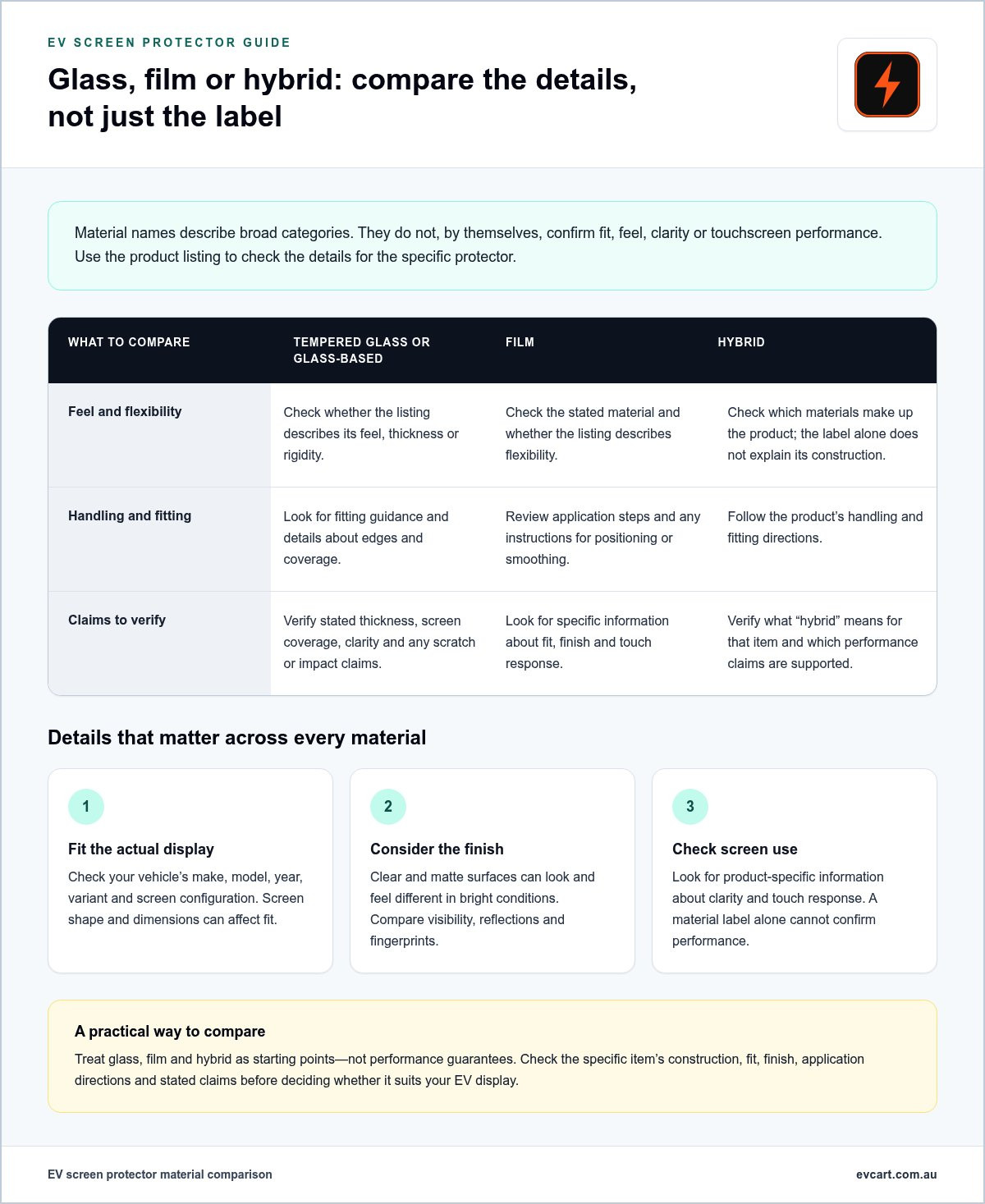
Material labels help narrow the options, but they don’t determine which EV screen protector is right for your display. “Glass”, “film” and “hybrid” describe broad construction categories. They don’t, by themselves, establish how a specific item feels, fits, handles reflections or responds to touch. Compare the product details rather than assuming every protector in a category performs alike.
Use the table as a starting point. It highlights what to look for, not guaranteed qualities of every product.
| Material label | Feel and flexibility | Handling | Claims to verify |
|---|---|---|---|
| Tempered glass or glass-based | Check whether the listing describes its feel, thickness or rigidity. | Look for fitting guidance and details about edges and coverage. | Verify stated thickness, screen coverage, clarity and any scratch or impact claims. |
| Film | Check the stated material and whether the listing describes flexibility. | Review application steps and any instructions for positioning or smoothing. | Look for specific information about fit, finish and touch response. |
| Hybrid | Check what materials make up the product; the label alone doesn’t explain its construction. | Follow the product’s handling and fitting directions. | Verify what “hybrid” means for that item and which performance claims are supported. |
Tempered glass and glass-based options
Listings may distinguish tempered glass from film or hybrid options because the material and construction differ. Don’t treat “tempered” as a complete specification. If the listing provides them, compare thickness, edge design and how much of the display the protector covers. These details help you judge whether the product description matches your screen and preferences. Avoid assuming that all glass options offer the same durability, impact response or visual clarity.
Film and hybrid protectors
Film and hybrid are also broad labels. A listing may describe a film as flexible or explain that a hybrid combines different layers, but construction varies by product. Check the wording for the specific item rather than transferring claims from another listing. Material names alone don’t confirm fit, finish or touchscreen performance.
Performance matters because your screen still needs to display clearly and respond as expected. The Institute of Physics explains how touchscreens work; a material label alone can’t show how a particular protector interacts with your vehicle’s display. Treat claims about clarity, touch response or resistance to marks as details to verify for that product.
Be just as careful with unfamiliar material or coating terms, including nano-ceramic or graphene. Look for a clear explanation of what the term refers to and what specific benefit the listing claims. If the description doesn’t explain the connection, don’t assume the name proves a performance advantage. Construction and product quality vary, so no single material is automatically best for every EV. For other practical additions, explore EV accessories from EV Cart Australia.
Matte or clear EV screen protector: what should you compare?
Finish changes how a display looks in everyday conditions. A clear surface is intended to keep the screen’s familiar appearance, while a matte surface has a different visual texture that some drivers may prefer. Neither label guarantees a particular result. Product descriptions can tell you how an item is presented, but claims about clarity, reflections or fingerprints need product-specific evidence.
Your cabin affects what you notice. Sunlight entering from the side, bright surroundings and reflections from interior surfaces can all change how the display appears. Screen brightness and your usual viewing position matter too. Consider the conditions you actually drive in, rather than choosing a finish based only on studio photos or a broad claim such as “anti-glare”.
When might a clear finish suit your preferences?
A clear finish may appeal if you want an unobtrusive layer and a screen presentation that looks familiar. Check the listing for stated clarity, coatings and any explanation of what those details mean. Don’t assume a clear protector will be invisible or preserve every display characteristic. Images and seller wording aren’t independent proof of how it will look on your vehicle.
When might a matte finish suit your preferences?
A matte finish may be worth comparing if reflections are a concern or you prefer its surface appearance. It can also change how the display looks compared with the uncovered screen, so consider whether that texture would suit daily use. Don’t assume “matte” means glare or fingerprints disappear. Look for specific evidence in the product information.
Before deciding, compare the finish in relation to how you use the screen:
- Visibility: Look for product details about clarity or surface appearance, and consider whether the display is easy to read from your usual driving position.
- Reflections: Think about when and where reflections bother you. A finish description alone can’t confirm how it will behave in your cabin.
- Fingerprints: Check whether the listing makes a specific claim about smudges or coatings. Don’t treat a matte or clear label as evidence of fingerprint resistance.
- Preference: Decide whether you favour a familiar-looking screen or are comfortable with a changed surface appearance.
When comparing an EV screen protector, separate the seller’s finish label from evidence supporting its performance. Look for precise descriptions rather than broad promises. If the listing claims to reduce reflections, improve clarity or limit fingerprints, assess whether it explains the basis for that claim. This keeps your decision grounded in the information available for the specific item.
Use the same practical test when comparing finishes: weigh the stated finish against your cabin lighting, screen brightness and viewing habits. The best fit is the one whose appearance works for you without distracting from clear, comfortable use.
Check EV screen protector compatibility before ordering
Start with the vehicle, then match the product to the display itself. A listing may name a model but still apply only to a particular year, variant or screen configuration. Check its stated fitment against your vehicle details and the screen in front of you. A similar model name isn’t enough to establish compatibility.
Use this checklist before ordering:
- Make and model: Confirm both match the listing.
- Year: Compare your vehicle’s year with any year range stated.
- Variant: Check the exact grade or variant, as screen equipment can differ.
- Screen configuration: Identify which display or displays the product is designed to cover.
- Listing details: Compare stated fitment and product images with your vehicle’s actual display.
Match the protector to the exact screen
Vehicles can have a central touchscreen alongside separate instrument, passenger or console displays. A protector designed for one won’t necessarily cover another. Compare the listing’s stated screen coverage with the display you want to protect, including its outline, corners and any visible cut-outs. Don’t assume protectors for related models, model years or variants are interchangeable.
Dashboard layouts can also differ in the number and placement of screens. A listing that describes a dual-screen configuration may refer to a specific pair, not every display in the cabin. Check which pieces the product is intended to cover and compare its images with your own layout. Images can help you spot a mismatch, but they don’t replace stated vehicle fitment.
Check the package and application details
Review the listing for the number of pieces included and the application instructions. A set intended to cover more than one display may involve aligning separate pieces, while a single-screen protector has a different task. Consider whether you’re comfortable following the described process carefully. Take your time, as a rushed application can make precise positioning harder.
Before ordering, check the protector’s dimensions and screen coverage against your vehicle, then read the fitting steps so you know what the application involves. A selection checklist can also help you compare fitment with material and finish. Assess each product detail against your own vehicle rather than relying on a broad compatibility claim.
Once you’ve checked the fit, package contents and application guidance, browse EV accessories at EV Cart as part of your shortlist. Keep your vehicle details handy while comparing listings so you can assess each option against the same screen and configuration.
Choose and care for an EV screen protector with confidence
Make the decision in a clear order: confirm the fit, compare the material, choose a finish, then review the listing and its instructions. This keeps a persuasive product claim from distracting you from practical details. A well-matched EV screen protector should suit the exact display and your preferences, but careful application and ongoing care still matter.
Use a final buying checklist
Before ordering, compare the product details with your vehicle and the screen you intend to cover. Then check what the listing says about construction, finish, package contents and application. If a detail that affects your decision isn’t clear, don’t fill the gap with assumptions.
- Confirm fit: Match the vehicle make, model, year and variant, then check the screen configuration against the listing.
- Compare material: Use the stated construction and details to weigh glass, film or hybrid options.
- Choose a finish: Consider how clear or matte descriptions align with your viewing preferences and cabin conditions.
- Review the listing: Check the stated pieces included, application guidance and any product terms shown on the current page.
Read the application instructions before starting. Set aside enough time to follow the steps carefully and in the order specified for that product. Avoid improvising with extra tools or methods; use only what the product guidance recommends. If you’re unsure about the process after reading it, pause rather than rushing the application.
Care should follow the same rule. Use the specific product’s cleaning instructions, and don’t assume a method that suits one surface is suitable for another. Avoid adding cleaners, cloths or other tools unless the product guidance supports them. Refer to the care instructions supplied with your chosen product for more focused upkeep advice.
A little preparation helps set realistic expectations. Keep the product details and care guidance accessible after fitting, so you can refer to them instead of relying on general advice that may not apply to your protector. When considering other additions to your vehicle, start with what you’ll use regularly and compare each accessory’s details with your needs.
Find EV accessories for your vehicle
Once you’ve considered fit, finish and care requirements, browse EV Cart’s accessories. Compare the details on each current product page with your vehicle and priorities before deciding what suits.
Make a considered choice for your EV
A useful accessory decision starts with your own priorities, not the strongest claim on a product page. Before choosing an EV screen protector, decide what would make a real difference to your daily driving: a screen surface you’re comfortable using, a finish that suits your cabin, or simply leaving the display as it is. That gives you a clear benchmark when comparing options.
Take the same measured approach as you explore other additions for your vehicle. Choose accessories that serve a purpose in your routine, and take time to assess whether each one fits the way you drive and use your EV. Practical choices are easier to live with than purchases made on impulse.
Explore EV Cart’s EV accessories and consider what could make your next drive more convenient. Compare current product details with your needs and choose an accessory that suits your EV.
Frequently Asked Questions
Do EV screen protectors fit every electric car?
No. A protector is made for a particular display shape and configuration, not every EV. Two vehicles from the same manufacturer can have different screen layouts, and a model update may change the display. Treat fitment as specific: a protector labelled for a similar vehicle isn’t proof it will align with yours. Check the exact vehicle variant and screen before buying, especially if the cabin has multiple displays.
Is tempered glass or film better for an EV screen protector?
Neither is the better choice for every driver. The material label doesn’t establish how a particular protector will feel, fit or perform. Compare the product’s described construction and application instructions, then consider which option you’re more comfortable handling. If you’re concerned about positioning a protector neatly, read the fitting process before deciding. Choose based on the specific listing and your priorities, not a general claim that one material always wins.
Can an EV screen protector affect touchscreen sensitivity?
It can, depending on the protector’s construction and how it sits on the display, but the material name alone won’t tell you what to expect. Look for product-specific information about touch response and compatibility with your screen. After applying it, check that familiar controls respond as expected while the vehicle is stationary. If interaction changes, follow the product guidance rather than pressing harder or improvising a fix.
What is the difference between matte and clear screen protectors?
A clear finish aims for a familiar screen appearance, while matte has a different surface look that may suit drivers comparing reflections. Neither label guarantees a particular result for visibility or fingerprints. Consider your usual parking and driving conditions, such as whether light often falls across the display, and check the listing for evidence behind any performance claims. The right preference is personal, so think about what you’ll find comfortable day to day.
How do I check whether a screen protector fits my EV?
Compare the listing’s fitment details with your vehicle’s exact model, year and variant, then check which display the protector covers. Look closely at the screen outline and any cut-outs shown in product images. If the listing refers to one screen but your vehicle has separate displays, don’t assume the other screens are included. Compare the item description and images together rather than relying on the product title alone.
Can I apply an EV screen protector myself?
Application is often intended to be completed by the buyer, but the product’s instructions determine what’s involved. Read them first and consider whether you’re comfortable with the described positioning and fitting steps. Set aside time to work carefully rather than starting when you’re rushed. Check what the package says it includes, and don’t substitute tools or application methods that the instructions don’t recommend.
How do I clean an EV screen protector?
Follow the cleaning instructions supplied for that specific product. Don’t assume a cleaner, cloth or tool is suitable simply because it’s used on another screen or surface. Check the guidance before wiping, particularly if it names products or methods to avoid. If the protector’s instructions don’t explain a cleaning detail you need, refer to the vehicle display’s care guidance as well and avoid improvising with unapproved products.